

"Yesterday is Not Ours to Recover, but Tomorrow is Ours to Win or Lose" -L.B. Johnson
- Samantha H.
- Dec 6, 2022
- 3 min read


Week 5 Challenge...Maker's Choice. My students will hear me say a thousand times, "You decide how you want this to turn out. Make that decision right now, and do what it takes to make it happen". I firmly believe that great effort generates reward, and that sometimes, especially when it seems impossible, the only option is to keep marching forward. Winston Churchill once said, "If you're going through hell, keep going". This has been the mantra for my life for as long as I can remember, and it has served me well.
The challenge/choice was MINE this week! This was exciting for me since I've been wanting to play with so much in my Arduino kit. I had a difficult time deciding. I wanted to make a piano using buttons and codes....but I don't have enough buttons. I wanted to make a temperature controlled/activated fan, and I also wanted to automate a lamp to turn on when it gets dark. I figured those were awesome, fun ideas, but again...time. These are things that I will play with when I find some free time. I finally settled on using the LCD display that was included in my kit, and to alter the provided code so that I could "speak" to the class, and the whole world through my YouTube channel. To shout for joy, and to show the successful build for this week!
Overall, my goals for this week were to build something beautiful and involved, and the get my screen to display my message. I was able to accomplish both, though I am not completely happy with the results, and will continue to work on the code to get the screen to display my message perfectly. You can see my artwork below.
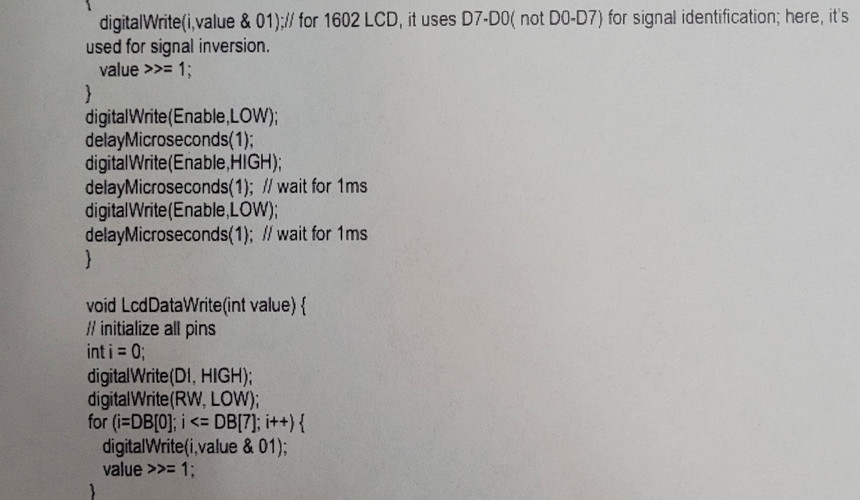
Beautiful photos, lovely music, and a successful build; I might be on to something. Perhaps a career change?? Probably not. If you keep scrolling you will find the code (after I altered it), and another shot of the diagram that I used to direct my building.




For my next trick, I will show you my AMAZING creation in action!
Like I said, I'm not completely happy with the results. There are weird underscores (lines?) at the end of each second line on the display. I am really not sure how I made this happen, (it wasn't like that when I ran the original code. C'est la vie. I altered a couple of things in the code, especially the message that was displayed and figured what a couple of things in the code controlled including how to get the text to appear on the first and second line. The first build that I made didn't work too well. The potentiometer was correctly adjusting the contrast of the screen, but no message was displayed. I moved stuff around, but in the end decided to start from scratch and be especially careful how I put things to together. All's well that ends well!
For further exploration I would like to try to make the words scroll across the screen, and also change the speed at which it scrolls. There is a little known sign in a small town in New York, which after learning and playing with this project I now better understand. I just can't imagine everything that goes into programming, and maintaining a sign even as insignificant as the one in New York.

and another lesser known screen:

PSA: these are only the first two examples that popped into my head. This type of jumbo screen can be seen almost anywhere you go, but New York seems to have the lion's share.
The moral of this story is that I severely overuse cliches, and that making is a lot more fun when your goal is to embellish established work, then try to create something with no real idea of what you are trying to achieve, or no model to start you on the correct path. Also, trial and error are frustrating, and you can't help but learn when you push through these frustrations and don't allow yourself to become discouraged. With great effort, comes great rewards.


Comments